RECEIVE USD
Receive US dollars with ACH and wire transfers
By the Shekel team · Product guide
Bring your US dollars into the same account as your naira and Bitcoin. Your Shekel USD account details let you fund your dollar balance by bank transfer.
Follow along in the mobile app
Shown on iPhone with example details. Use the amounts, rates and payment details in your own Shekel account.
STEP 1
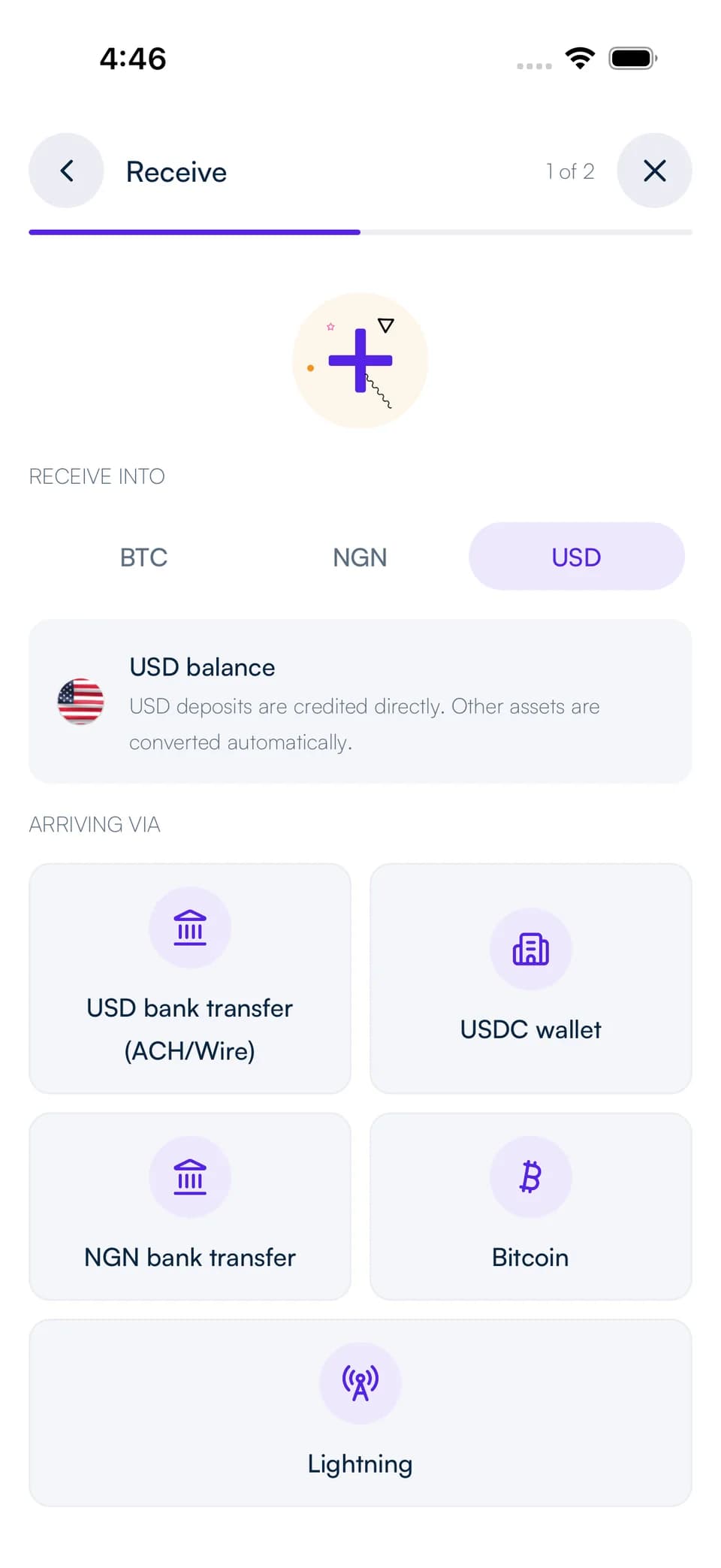
Open your USD account details
Complete the USD account setup and verification shown in Shekel. In Receive, choose USD bank transfer to find your account holder name, account number, routing number, and bank.
Check the supported transfer types listed with those details, such as ACH or wire. Use the instructions for the type of transfer you are making.
STEP 2
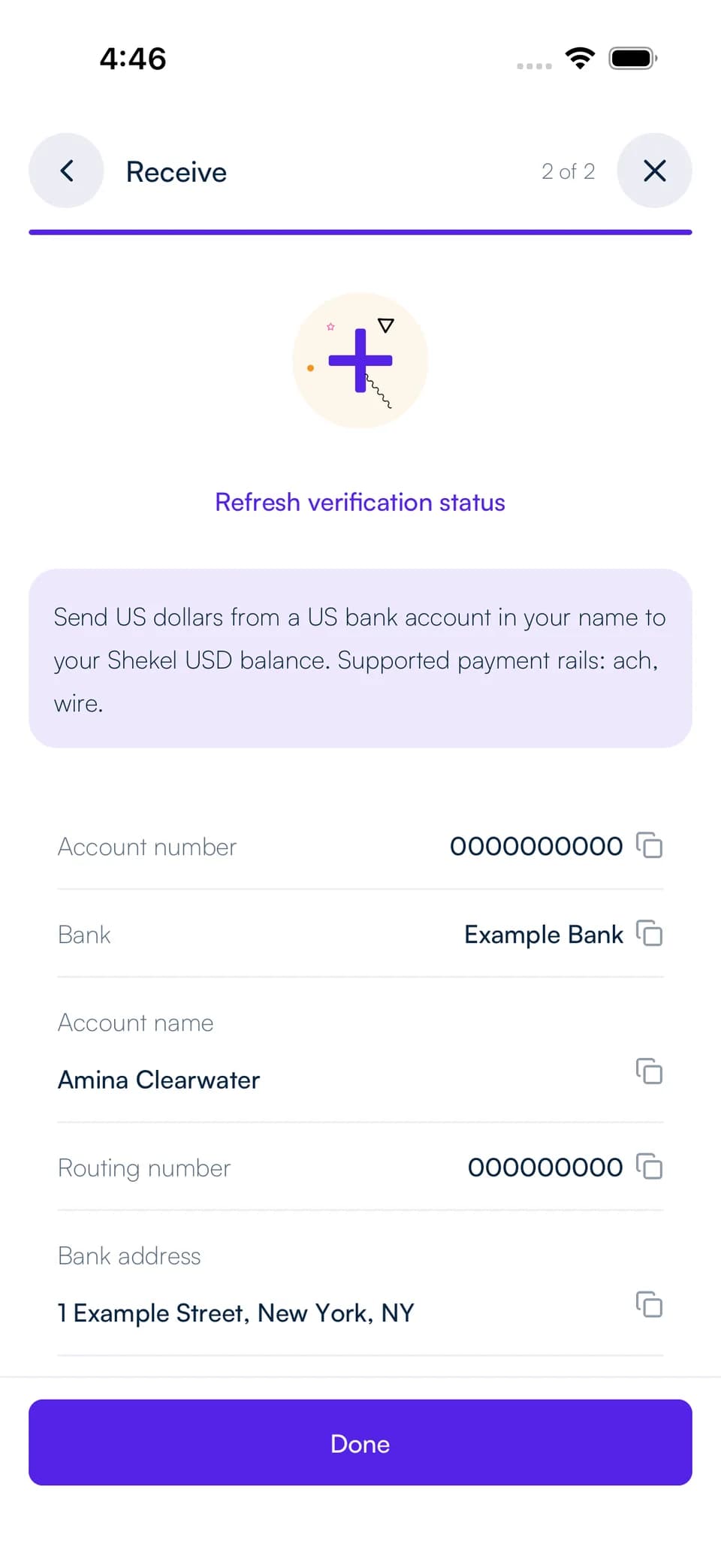
Transfer from your US bank account
In your US bank's app or website, add the USD account details shown in Shekel. Send from a US bank account in your name and match the account holder details.
Review the amount, your bank's fee, and its processing estimate before submitting. Follow the deposit in your Shekel activity as it reaches your USD balance.
Keep your dollars or make your next move
Keep the received funds in USD, swap to naira or Bitcoin, pay another Shekelite, or send a USD bank transfer. Review the rate and fee when choosing a conversion or transfer.
USDC is another way to fund your balance. Choose USDC in Receive and use its wallet address and network rather than your USD bank account details.