GET PAID
Get paid with your Shekel payment link
By the Shekel team · Product guide
From a shared meal to a payment for your work, your Shekel link gives people a simple way to pay you. Share one link instead of exchanging bank details each time.
Follow along in the mobile app
Shown on iPhone with example details. Use the amounts, rates and payment details in your own Shekel account.
STEP 1
Make your payment link yours
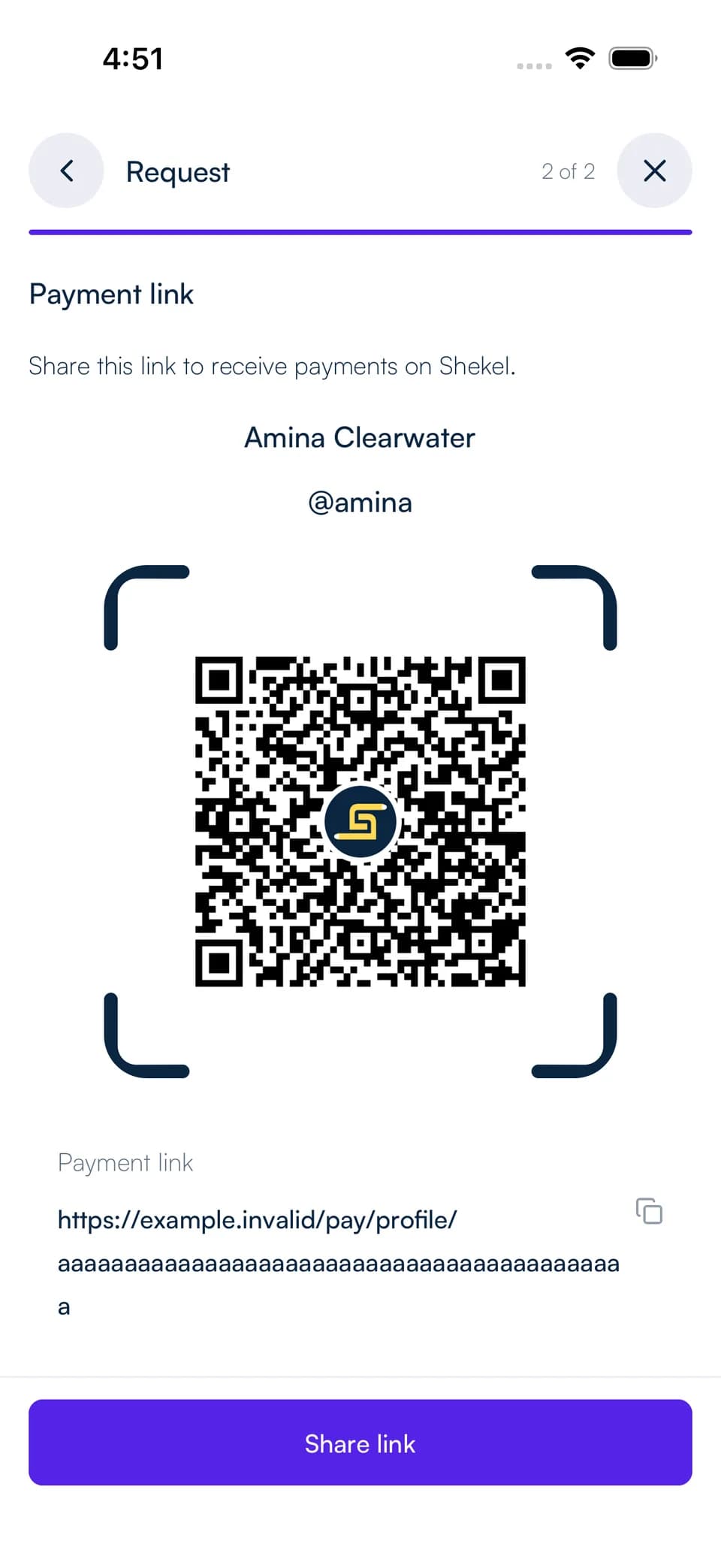
From Home, open Request and choose Share my payment link. Copy the link, share it in a message, or show your QR code in person.
The person paying opens your profile, signs in to Shekel, and chooses the amount and currency to send. Your reusable link works for different amounts.
STEP 2
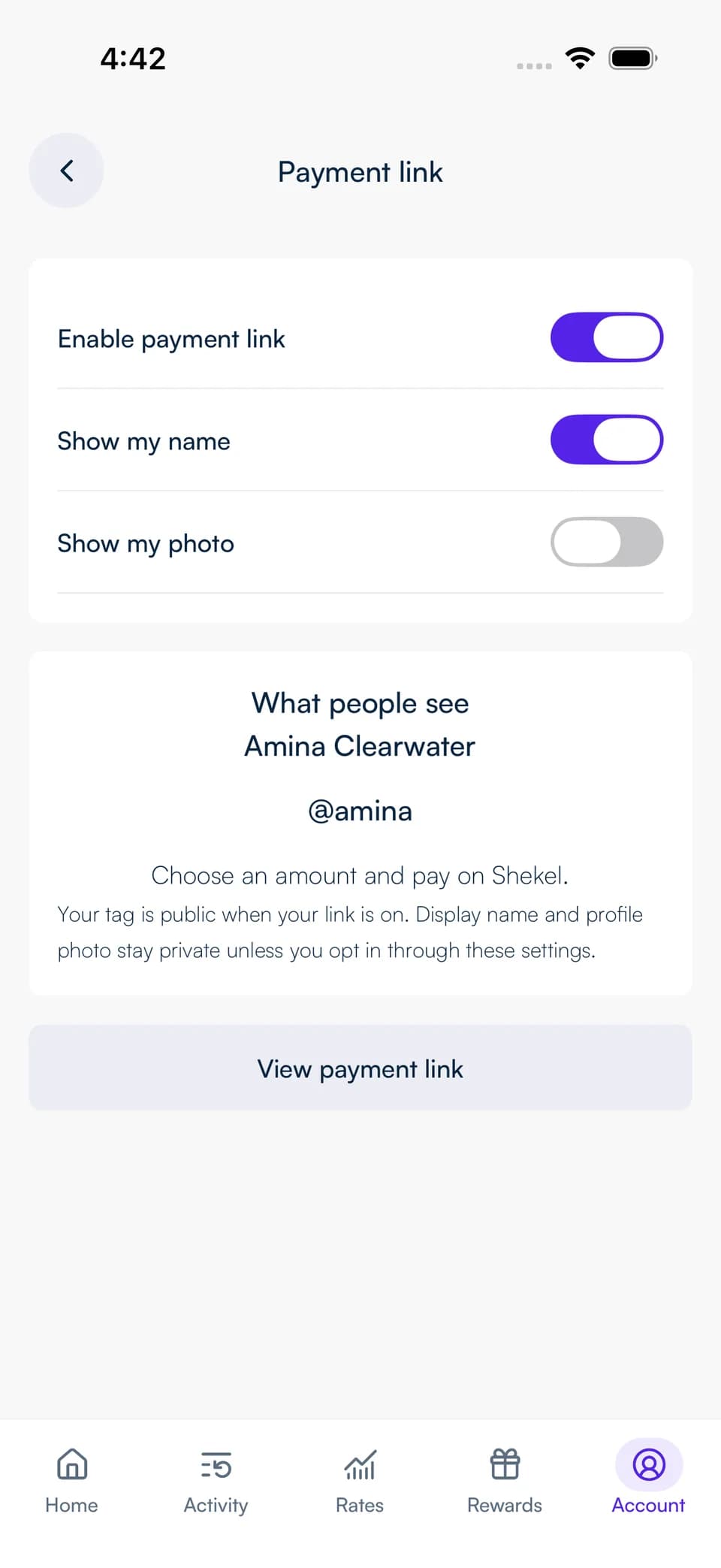
Choose what your payment profile shows
Open Edit profile visibility from your payment link, or go to Account, Manage profile, then Payment link. Choose whether to show your name and photo. Your tag identifies you whenever the link is on.
For a specific amount, create a payment request instead. It gives you a separate request to share and a status you can follow from creation to payment.
Put your payment to use
Find incoming payments in your Shekel activity. Once the payment completes, you can keep the balance, swap to another currency, or send it onwards.
Manage your payment link and profile-sharing choices in Shekel. You can turn the link off or replace it when you want a new one.