ACCOUNT SECURITY
Protecting your Shekel account
By the Shekel team · Product guide
Protect your account with sign-in and payment controls you manage. Shekel brings passkeys, two-factor authentication, and device sessions together in your security settings.
Follow along in the mobile app
Shown on iPhone with example details. Use the amounts, rates and payment details in your own Shekel account.
STEP 1
Set up your sign-in protection
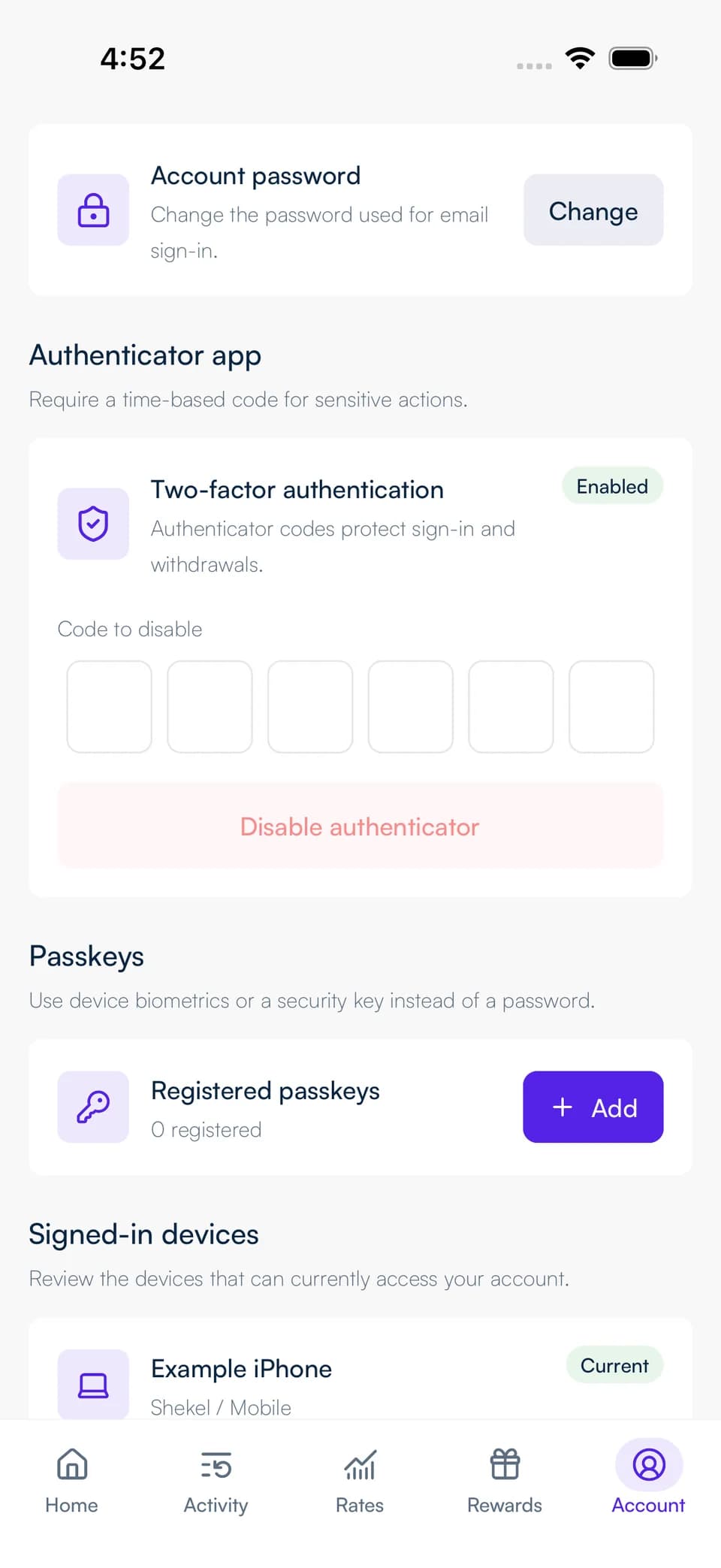
Use a unique password for Shekel and protect your email account. Add a passkey from your security settings to sign in using your device's supported authentication.
Set up two-factor authentication with an authenticator app. Follow the in-app steps to choose the security confirmation used for your payments.
STEP 2
Manage your devices and sessions
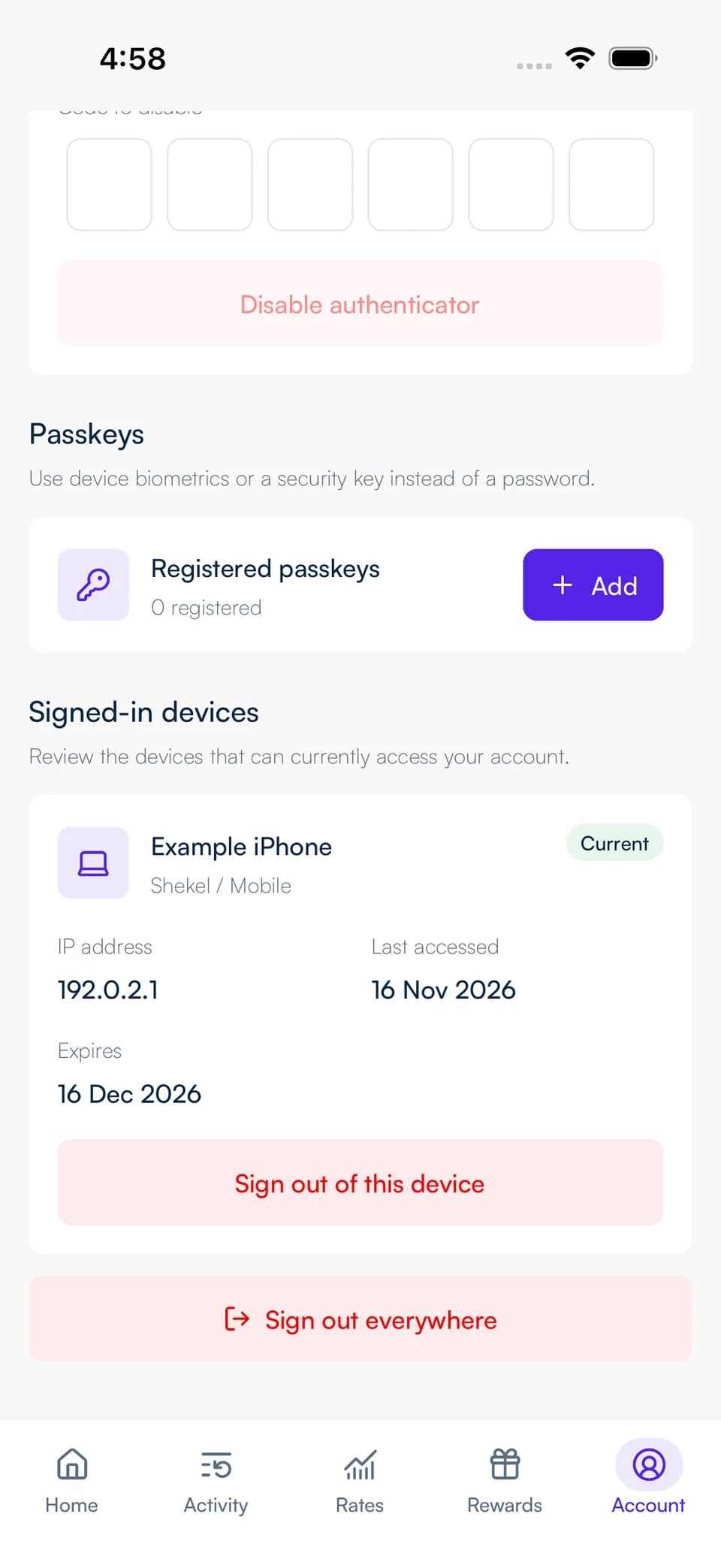
Review the devices and sessions listed in your account. Sign out a session when you have finished using a device or no longer recognize it.
Keep your phone and browser updated, and use your device's screen lock. On mobile, enable biometric app lock to protect access when you return to Shekel.
Use the right support channel
Contact Shekel through the support page or in-app support. For a payment question, include the transaction reference so the team can find the right details.
Keep passwords, authenticator codes, and recovery details private. Shekel support will never ask you to share them or transfer money to secure your account.