MOVE BITCOIN
How to receive Bitcoin over Lightning
By the Shekel team · Product guide
Receive Bitcoin from someone using a Lightning wallet. Create an invoice in Shekel, share it with the sender, and follow the payment in your activity.
Follow along in the mobile app
Shown on iPhone with example details. Use the amounts, rates and payment details in your own Shekel account.
STEP 1
Create a Lightning invoice
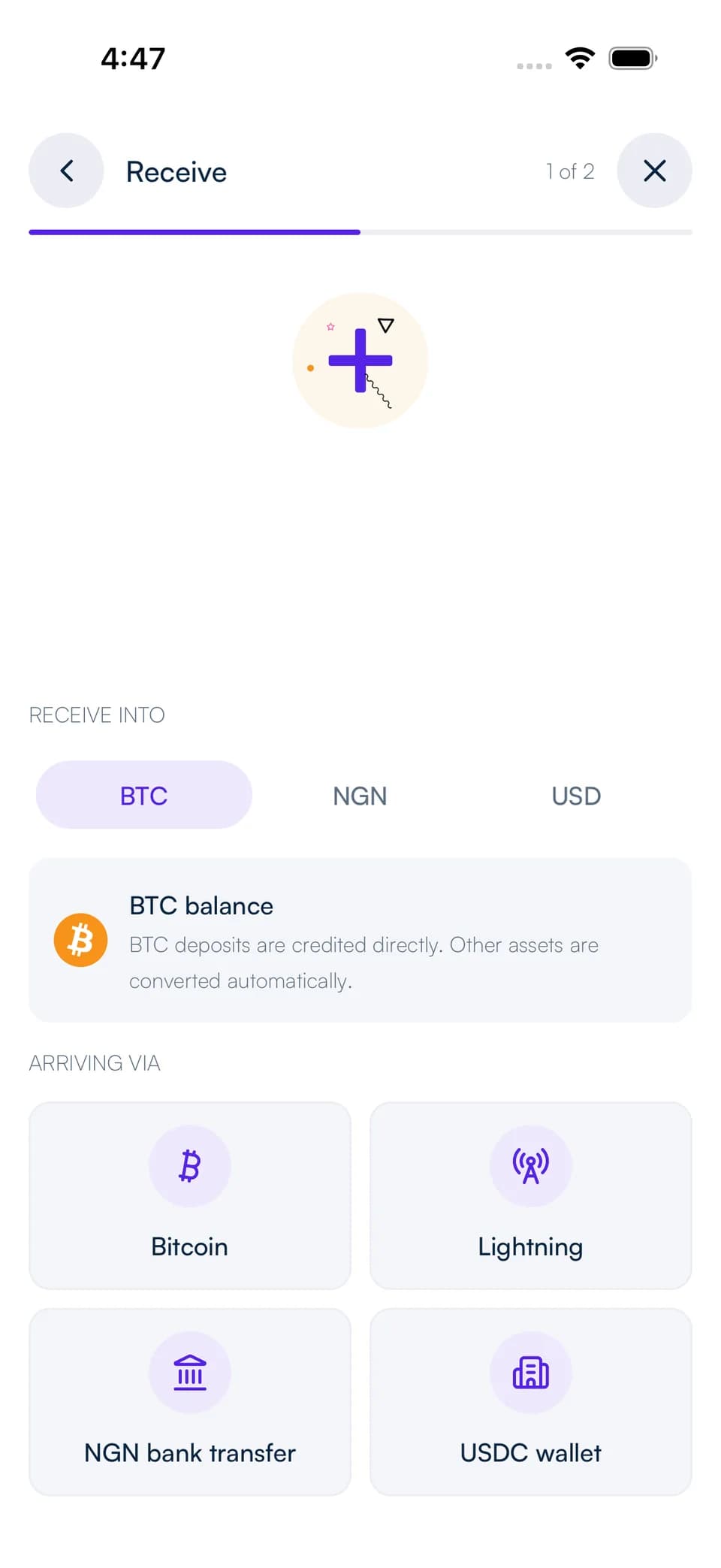
Open Receive and select Bitcoin via Lightning. Choose the balance you want to receive into and enter the details requested in the app.
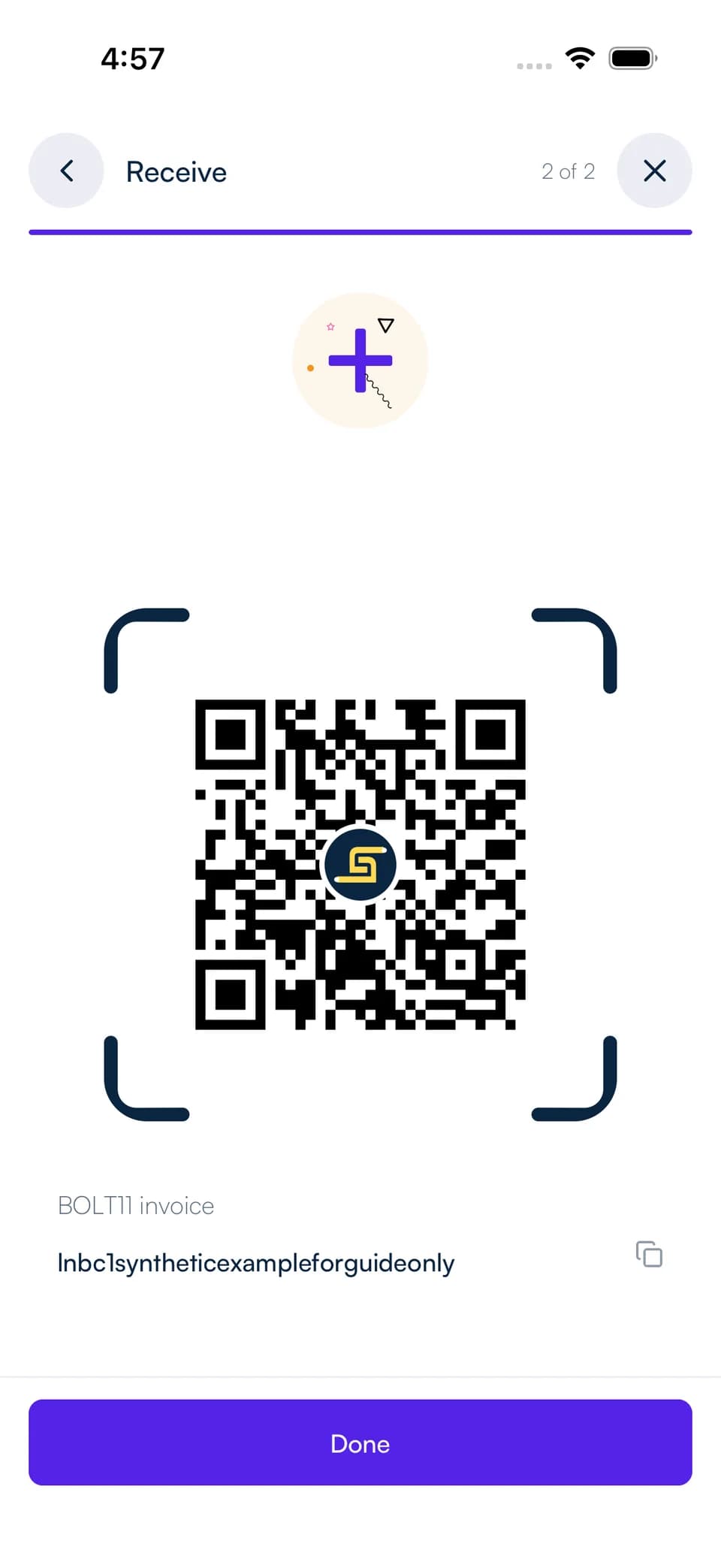
Your invoice and QR code give the sender the payment instructions. Share them with someone using a Lightning-compatible wallet.
STEP 2
Share the invoice and receive
Use Copy or the QR code to share the invoice. The sender opens it in their Lightning wallet and reviews the amount and fee before paying.
Each invoice has an expiry. Create a fresh invoice if you need new payment instructions, and check your Shekel activity for the completed payment.
Choose the balance that suits you
Keep the payment in Bitcoin or select naira or USD as your receiving balance. Shekel converts incoming Bitcoin when you choose a different destination currency.
For an on-chain Bitcoin payment, choose that option in Receive and share the Bitcoin address shown there. Lightning invoices and on-chain addresses each have their own receiving instructions.